Download the 7wing App — Slots, Cricket & Live Casino on Your Phone
The 7wing app brings the full platform to Android in one lightweight APK. Place bets on cricket, spin slots from CQ9 and Pragmatic Play, or sit at a live table — all from your phone. Deposit via bKash or Nagad in under 4 minutes. Free to download, no account needed to install.
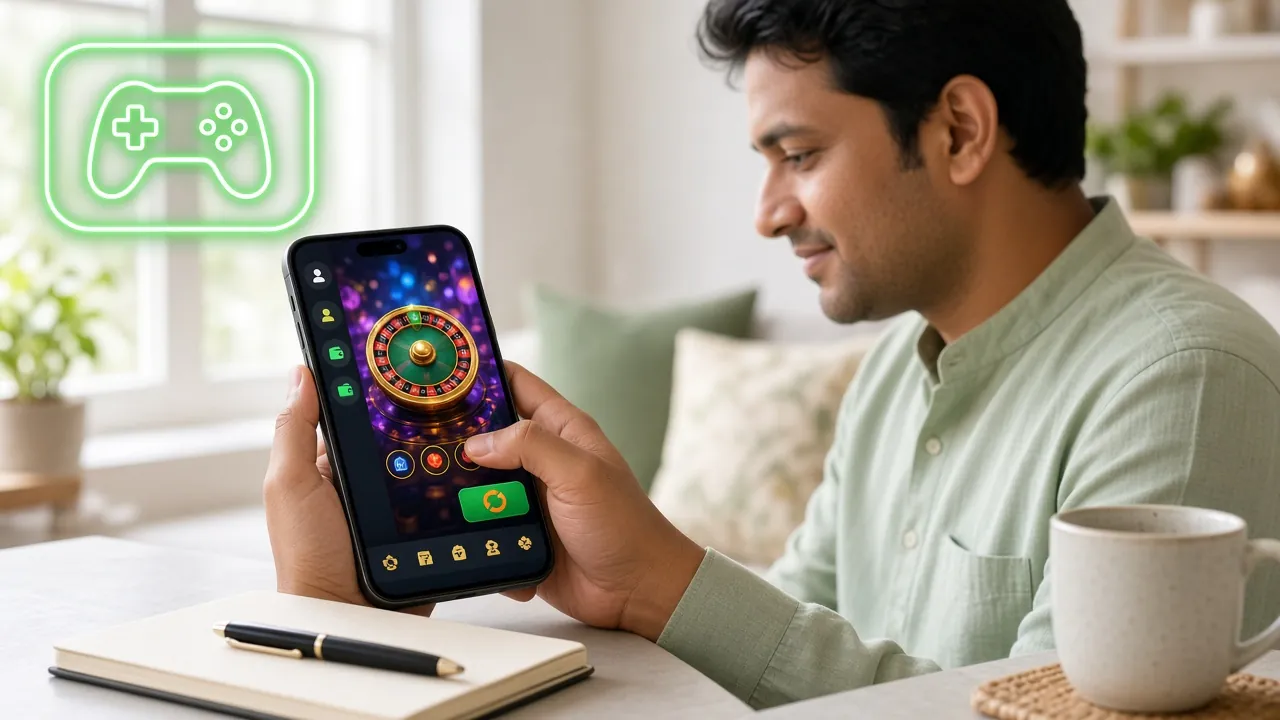
App vs Web Browser — What's Different
Both the 7wing app and the mobile browser version give you access to the same games and bonuses. The difference is in how they feel day to day. Here is a direct comparison so you can decide which works better for you.
| Feature | 7wing App (APK) | Mobile Browser |
|---|---|---|
| Loading speed after first install | Faster — cached assets | Loads each session fresh |
| Works on low internet connection | Partial offline lobby browsing | Requires active connection |
| Push notification for bonuses | Yes — opt-in alerts | Not available |
| One-tap login with saved credentials | Yes — biometric option | Browser-dependent |
| bKash / Nagad deposit flow | Native redirect, fewer steps | Works but extra redirects |
| Screen space for live casino tables | Full-screen, no browser bar | Browser bar takes space |
| Auto-update to latest version | Manual APK re-download needed | Always latest version |
| iOS support | Android APK only | Safari / Chrome on iPhone |
| Storage used on device | 45 MB | 0 MB (browser cache) |
| Game catalogue | Full 4,400+ games | Full 4,400+ games |
| Bonus & VIP access | Full access | Full access |
Our recommendation: install the APK if you play daily or use live casino tables often. If you are on a shared phone or tight storage, the browser version is perfectly capable.
System Requirements & Version Info
The 7wing app is built for the Android phones most common in Bangladesh — including budget Walton, Symphony, and Samsung devices. No root required. Check the table before downloading.
| Detail | Value |
|---|---|
| App Version | 3.1.5 |
| File Name | 7wing.apk |
| Download Size | 45 MB |
| Minimum Android | Android 8.0 (Oreo) |
| Last Updated | 3 November 2026 |
| Price | Free |
| Languages | English, Bangla |
| iOS Support | Browser only (see below) |
Before You Download
- Your Android version must be 8.0 or above. Go to Settings → About Phone → Android Version to check.
- Free storage needed: at least 100 MB to install and run smoothly (45 MB download + runtime space).
- Download over Wi-Fi if your mobile data plan is limited. The APK is 45 MB so it costs roughly 45 MB of data.
- Only download from 7wing.ws or this page. Third-party APK sites may have modified files.
What You Can Do in the 7wing App
The app is not a stripped-down version. Every feature from the desktop site is here, optimised for touch screens and slower mobile connections common in Dhaka, Chittagong, and Sylhet.
Slots from Top Providers
Play Fortune Gems 2 (CQ9), Drill That Gold (Pragmatic Play), Genie 3 Wishes, and over 4,400 other slot titles. Games load directly in-app — no browser switch needed. Minimum bet starts at ৳1 on many titles so you can stretch a small balance.
Live Casino Tables
Sit at European Roulette (Ezugi) or European Blackjack (Playtech) with real dealers streamed in HD. The app's full-screen mode removes browser chrome, giving you a larger table view. Bet from ৳5 on roulette up to ৳50,000 on blackjack.
Cricket & Sports Betting
Follow BPL, IPL, T20, and ODI matches with in-play odds that update in real time. The app sends push notifications for match starts and odds changes on markets you have bookmarked. No separate sports app needed.
Crash & Instant Games
Spribe's Crash-style games and JDB's Monster Dice run smoothly even on 4G. Cash out at any multiplier with a single tap. The session history is saved inside the app so you can review recent rounds without loading a browser tab.
bKash & Nagad Deposits
Tap Deposit, choose bKash or Nagad, and the app handles the redirect automatically. Most deposits clear in under 4 minutes. Minimum deposit is ৳300. The app also shows your bonus wallet and wagering progress on the same screen.
Fishing Games
Shade Dragon Fishing (Playtech) and Jackpot Fishing (JILI) have on-screen controls designed for touch. Aim, fire, and catch fish with tap gestures. RTP on these titles runs from 96.3% to 97.1%, among the best in the fishing game category.


Explore the full 7wing casino catalogue — all playable in the app and in the browser. Live casino, slots, fishing, and crash games in one lobby.
See All GamesSecurity & Permissions
The 7wing APK requests only the permissions it actually needs. It does not access your contacts, SMS, or call log. Here is what the app uses and why.
SSL / TLS Encryption
All traffic between the app and 7wing servers is encrypted with TLS 1.2 and above. Your account credentials, deposit requests, and personal details are never sent in plain text. This applies to bKash and Nagad payment flows as well.
No Camera or Microphone Access
The 7wing app does not request camera or microphone permissions. KYC document uploads (National ID, Passport, Driving Licence) are handled through the browser-based account portal, not through in-app camera capture.
Internet Access Only
The only mandatory permission is internet access — needed to load games and process transactions. Storage permission is requested only when you choose to download a file inside the app. The app does not read or write to other folders.
APK Integrity & Source
Download only from 7wing.ws/7wing-app/ or the direct link on this page. The official APK is signed with a certificate that Android verifies at install time. If you see a "signature mismatch" warning, the file is not from us — delete it and download again from here.
Android APK Install — 5 Steps
Android blocks APKs from outside the Play Store by default. You need to allow "Unknown Sources" once — this takes about 10 seconds and can be turned off again after installation. Follow the steps below exactly.
-
1
Allow Installation from Unknown Sources
Open Settings on your Android phone. Go to Security (or Privacy on some Samsung models) and toggle on Install Unknown Apps. On Android 10 and above, this permission is per-browser — select the browser or file manager you will use to open the APK, then enable it there. You can switch this off again after the install finishes.
-
2
Download the 7wing APK
Tap the Download APK button on this page (or in the Download section below). Your browser will save
7wing.apk(45 MB) to your Downloads folder. Wait for the download bar to reach 100% — do not open a partial download, as it will fail to install. Use Wi-Fi if possible to avoid mobile data charges. -
3
Open the Downloaded File
Once the download completes, tap the notification that appears at the top of your screen, or open your phone's Files / My Files app and navigate to Downloads. Tap
7wing.apk. Android will show a permissions dialog — read it, then tap Install. The installation takes about 10–15 seconds. -
4
Open the App and Log In
After installation, tap Open in the success dialog, or find the 7wing icon on your home screen. The app will load the lobby. If you already have an account, tap Log In and enter your credentials — visit 7wing Login for help. New users should tap Register to create a free account in under two minutes.
-
5
Deposit and Claim Your Welcome Bonus
Tap Deposit, choose bKash, Nagad, Rocket, or Bank Transfer, and enter at least ৳300 to qualify for the first deposit bonus. The 7wing app shows your bonus status and wagering progress in the wallet section. Once your deposit clears (usually under 4 minutes), your bonus balance appears automatically — no promo code needed.
iOS Users — Add 7wing to Your Home Screen
Apple does not allow APK files. iPhone and iPad users can get a near-app experience by adding the 7wing website as a Progressive Web App (PWA) to the home screen via Safari. All games, deposits, and bonuses work the same way.
-
1Open Safari on your iPhone
Go to 7wing.ws in Safari (not Chrome — the Add to Home Screen option only appears in Safari on iOS). Log in or register if you have not already.
-
2Tap the Share Icon
Tap the Share button at the bottom of Safari — it looks like a box with an arrow pointing up. This opens the iOS share sheet.
-
3Select "Add to Home Screen"
Scroll down in the share sheet and tap Add to Home Screen. Give the shortcut a name (e.g. "7wing") and tap Add in the top-right corner.
-
4Launch from Home Screen
The 7wing icon now appears on your home screen. Tapping it opens the site in full-screen mode — no browser bar, no address bar. It behaves like a native app for most purposes.
Fast Deposit, Fast Play
Deposits via bKash and Nagad clear in under 4 minutes. The app shows a live countdown so you are not left guessing. Minimum deposit is ৳300.
Match & Bonus Alerts
Enable push notifications to get alerts when a Bangladesh cricket match goes live or when a new daily reload bonus is available. Turn them off any time in device settings.
Built for Entry-Level Android
Version 3.1.5 is optimised for 2 GB RAM devices running Android 8.0+. Games and lobby use adaptive quality so they run smoothly on a budget Walton or Symphony handset.
Download the 7wing APK
Tap the button below to download the official 7wing APK directly to your Android device. The file is scanned and signed — no third-party store, no modified code.
Download 7wing.apk- Signed APK
- SSL Encrypted
- 18+ Only
- 24/7 Support
- Android 8.0+
- bKash & Nagad
Common Install Problems & Fixes
Most install errors have a simple cause. Find your problem in the table below. If none of these fix it, contact 7wing support via 24/7 live chat.
| Problem | Likely Cause | Fix |
|---|---|---|
| "Install blocked" message appears | Unknown Sources not enabled for your browser or file manager on Android 8+ | Go to Settings → Apps → find your browser → Advanced → Install Unknown Apps → Allow. Then tap the APK file again to retry. |
| Download stops at 60–80% | Weak mobile signal or the browser cancelled a large file mid-transfer | Switch to Wi-Fi and clear the partial download from your Downloads folder. Then start a fresh download from this page. |
| "App not installed" error after tapping Install | An older version of the 7wing app is already on the device, or storage is too low | Uninstall any existing 7wing app first (Settings → Apps → 7wing → Uninstall). Free at least 100 MB of storage, then install the new APK. |
| App opens to a blank white or black screen | Device RAM is too low or the app crashed on first launch | Close all background apps to free RAM. Force-stop the 7wing app (Settings → Apps → 7wing → Force Stop), then reopen it. Restart the phone if it still happens. |
| Games load but crash mid-session | Unstable internet connection or insufficient RAM during live casino streaming | Switch from mobile data to Wi-Fi. In the app settings, lower video quality for live games to "Medium". Avoid having 10+ background apps open at the same time. |
Your Questions About the 7wing App
These are the questions we get most often from Bangladesh players downloading the 7wing app for the first time.
Safety & APK
Is the 7wing APK safe to install?
Why does Android say "blocked by Play Protect"?
How do I update to the latest version of the 7wing app?
Account & Features